
Export dashboard data
You can export data from visualizations and reports in .xlsx or .csv format for further analysis or sharing.
To export data from visualizations
- Go to Analytics > Dashboards.
- Select the dashboard.
- Select the visualization from which you want to export the data.
- Click on the ellipsis (...) in the top-right corner of the visualization.
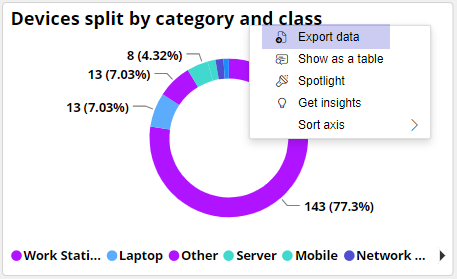
- Select Export data from the drop-down menu.
- Select the file format for exporting the data.